Product Guide
Viberole Image Upload Guide: What You Can Send and When To Upgrade
- Written by
- Viberole Editorial Team
- Published
- 2026-03-15
- Reading
- 5 min read
Editorial Team. Editorial coverage of AI character chat, MBTI-guided conversations, and safe-for-work product comparisons with clear product boundaries.
Image upload is one of those features that sounds obvious until you use it badly. The point is not to throw random pictures into chat. The point is to make the conversation more concrete: a screenshot, a reference image, a study page, a design direction, something the character can respond to with more context.
Who Can Use Image Upload Right Now
In the current product flow, image upload is unlocked on Diamond and Master. If you are on a lower tier, the chat UI shows the upgrade path instead of opening the file picker. That means this is a real gated feature, not just a pricing-page bullet.
What File Types Work
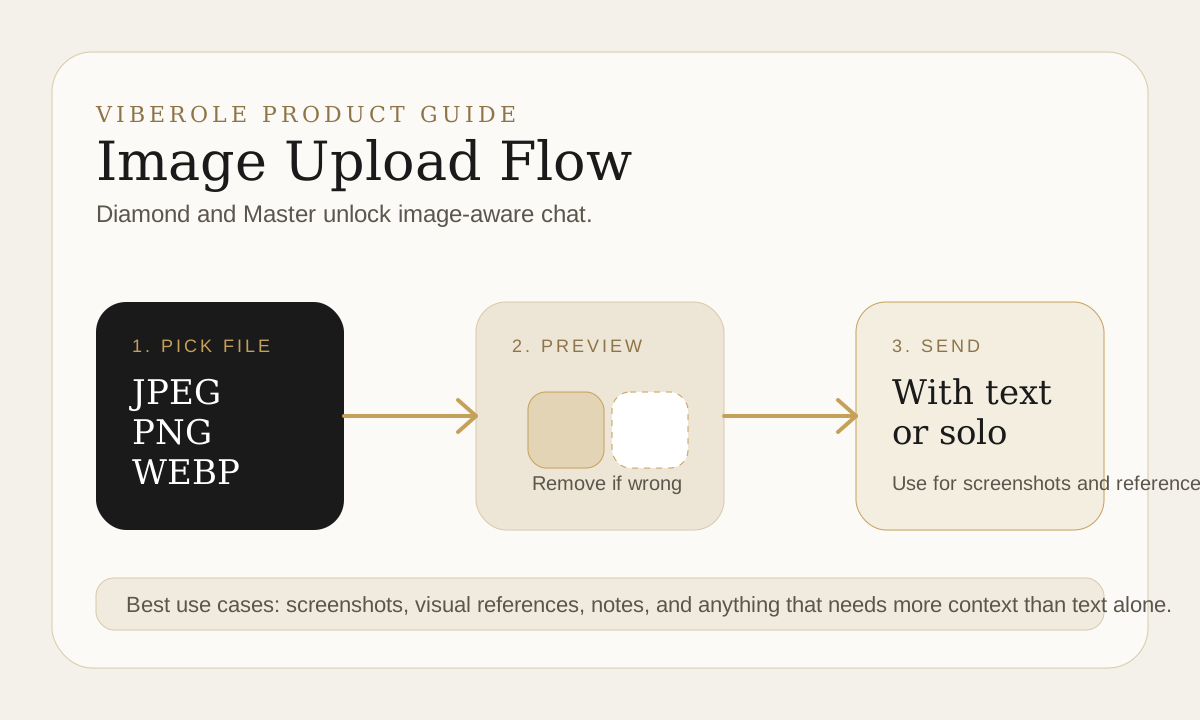
The chat flow currently accepts JPEG, JPG, PNG, and WEBP. If you are preparing screenshots or visual references, stay inside those formats and keep the image relevant to the question you want answered.
How the Upload Flow Actually Works
- You need an active chat session with a character.
- Once you pick a file, the image appears as a preview chip before sending.
- You can remove the preview before it goes out.
- You can send the image with text or send the image alone as context.
That preview step matters. It gives you one last check before the image becomes part of the message flow, which is the right place to catch a wrong file or something more private than you intended to share.
Use Cases That Actually Make Sense
Good use cases are boring in a good way. A screenshot of something you want explained. A moodboard reference for creative direction. A page of notes you want to discuss. A visual prompt you want the character to react to. The more specific the ask, the better the result.
If your main use case is still text-only planning or reflection, upgrading for image upload alone may be unnecessary. If your conversations often depend on screenshots or visual references, then the feature becomes much easier to justify.
What To Check Before You Send
Do not upload anything you would regret storing in a normal web app. That includes personal documents, sensitive identifiers, or images you do not need for the conversation. The feature is most useful when you treat it like a focused context tool instead of a dumping ground.
If image input is the thing pushing you toward an upgrade, check the pricing page first, then compare it against how often you actually need visual context in chat.
Final Takeaway
Viberole image upload is best when it makes the conversation more grounded, not more chaotic. If you regularly work from screenshots, notes, or visual references, Diamond or Master is the practical next step. If not, stay text-first until the need becomes real.
Get Viberole Updates
Receive release notes, new guide launches, public character announcements, and policy updates by email.
Want product updates?
Subscribe for release notes, new character announcements, and policy updates.